Most people arrive at "VirtualSpeech alternatives" from the pricing page, and the sticker shock is real: $45 a month, or $399 billed annually, with no free tier (VirtualSpeech, 2026). Every other tool in this category is somewhere between $8 and $25 a month.
But the price is not unreasonable for what it is — it is unreasonable for what most individuals use. VirtualSpeech is not one product wearing one price tag. It is three, sold together, and the overwhelming majority of individual subscribers are there for exactly one of them.
What are you actually paying for inside VirtualSpeech?
Pull the subscription apart and there are three separable things in it:
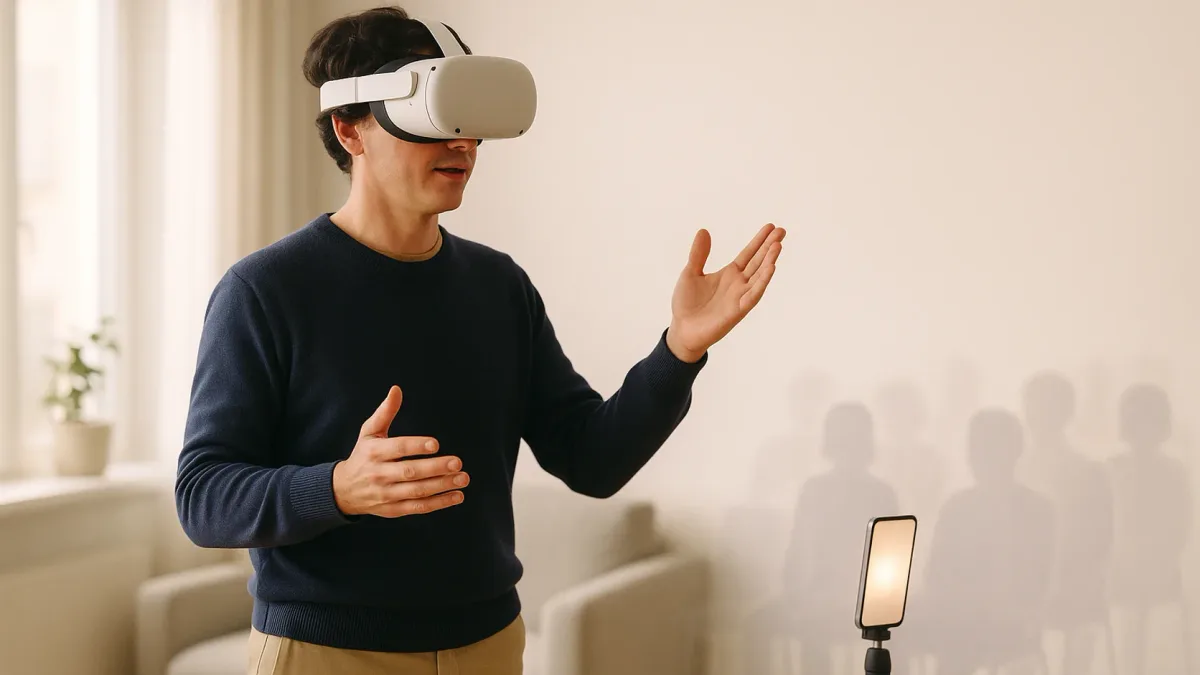
1. VR audience exposure. Put on a headset and present to a simulated room — a small meeting, a large auditorium, a hostile panel — that can genuinely raise your pulse. This is the differentiator, and nothing audio-only reproduces it. It is also optional: the browser version works without a headset, at which point you are paying VR prices for a video practice tool.
2. AI delivery feedback. Speech analysis for hesitations, pace, pitch, filler words, plus AI avatar roleplay. Real, competent, and functionally the same category as every app on your phone. This is where the value gap is widest, because the standalone versions of this cost $8–25 a month.
3. A course library with certificates. Structured soft-skills courses across public speaking, sales, leadership and interviews, with digital certificates at the end. Genuinely useful if you need the credential or your employer reimburses training. Irrelevant if you just want to stop saying "um."
Why do people look for VirtualSpeech alternatives?
In practice the reasons cluster into four, and each one points at a different replacement:
- Price. $399/year with no free tier is the highest entry point in the category by a wide margin. There is nothing to try before you commit.
- The VR hardware requirement. The headline feature needs a headset you may not own. Without one, you are paying for the bundle and using the cheapest third of it.
- You only want the feedback. You want to know your filler rate and whether you rush. That is a $10-a-month problem.
- It's built for organisations. Enterprise and education tiers, LMS integration, SSO, class analytics, a dedicated success manager. If you are one person, most of the roadmap is not for you.
What are the best VirtualSpeech alternatives?
| Alternative | Replaces | VR needed | Free tier | Price (2026) |
|---|---|---|---|---|
| Ovation | VR audience exposure | Optional (desktop too) | 7-day trial | $15/mo billed annually |
| Virtual Orator | VR audience exposure | Yes | No | $199.99 one-time |
| Orator | AI feedback + roleplay | No | Yes | iOS |
| Yoodli | AI feedback on real calls | No | 5 lifetime sessions | $8/mo annually (Pro) |
| Orai | AI feedback, daily reps | No | Trial | $12.99/mo, $49.99/yr |
| Speeko | Voice and delivery drills | No | Free tier | $24.99/mo, $69.99–99.99/yr |
| Coursera / LinkedIn Learning | Courses + certificates | No | Trial | ~$20–40/mo |
If you want the VR audience exposure
This is the only reason to stay anywhere near VirtualSpeech's price band, and there are two real competitors.
Ovation is the closest like-for-like: desktop and VR presentation practice, simulated audiences, and an individual plan at $15 per month billed annually with a 7-day free trial (Ovation, 2026). That is $180 a year against $399, for the same core mechanic, with something to try first.
Virtual Orator is the outlier worth knowing about: a one-time purchase at $199.99 rather than a subscription, with programmable audience reactions and the ability to load your own slides. Roughly one year of VirtualSpeech, then it is yours. It is VR-only and it is a piece of software rather than a platform — no courses, no certificates, no account management.
Exposure practice only works if it is graded. Starting on the hostile-panel scenario is the VR equivalent of volunteering for the keynote — it confirms the fear rather than dismantling it. Begin with the smallest, friendliest room and move up only after a session stops spiking your pulse. The logic behind that ladder is the same one in how to overcome fear of public speaking.
If you want the AI delivery feedback
If you have never actually put on the headset, this is you — and the replacement costs about a quarter as much.
Orator runs scenario-based rehearsal with a live AI conversation partner that talks back and interrupts, then scores confidence, clarity, filler words, flow, structure and pronunciation against the transcript. It is closest to VirtualSpeech's roleplay exercises minus the headset, and it covers the smaller rooms — interviews, meetings, sales calls — that most people actually speak in.
Yoodli scores recordings and real calls on fillers, pacing, eye contact and word choice, with a free tier of five lifetime sessions and Pro at $8/month billed annually (Yoodli, 2026). If your speaking happens in meetings you are already taking, this is the one that fits without adding a rehearsal habit.
Orai is the short-daily-reps option at $12.99/month or $49.99/year, and Speeko is the voice-and-delivery drill option — its App Store listing currently shows $24.99 monthly and annual tiers at $69.99 and $99.99, which is worth checking yourself, because third-party aggregators in this category are routinely a year out of date.
For a feature-by-feature ranking of these four against each other, the best public speaking app comparison does the head-to-head; if you have already narrowed it to two, Speeko vs Orai is the direct matchup.
If you want the courses and the certificate
Nothing in the app category replaces this, because the app category does not do it. The honest swaps are a general learning platform — Coursera, LinkedIn Learning, or your employer's existing LMS — where public speaking and presentation courses run at a fraction of $399 and the certificate carries at least as much weight.
The thing to be clear-eyed about is that a course is not practice. Watching a module on vocal variety does not change how you sound; saying things out loud and listening back does. If you are choosing a course because it feels more productive than rehearsing, that is the trap, and how to practice public speaking is the corrective.
If the certificate is the whole reason you are subscribed, check whether your employer already pays for LinkedIn Learning or Coursera for Business. A surprising number of people buy a $399 training subscription that duplicates one their company already holds.
If you want the group and the audience
There is a fourth answer that is not software at all. If what you actually miss is people reacting to you in real time, a speaking club gives you that for around $10 a month — and it gives you the one thing no simulation does, which is genuine social stakes. Toastmasters alternatives covers the club-shaped options and what each one does or does not replace.
Are there free VirtualSpeech alternatives?
There is no free VR audience simulator worth the setup time, but the feedback half has real free options. Yoodli's free tier gives you five lifetime sessions, which is enough to find out whether AI feedback tells you anything you did not already know. Speeko keeps a free tier. Orator is free to start on iOS.
The genuinely free version of the VR exercise is cruder and works better than people expect: rehearse standing up, out loud, to a phone camera propped at eye level across the room, and watch it back. You lose the simulated audience; you keep the two things that actually drive improvement, which are speaking at full volume on your feet and hearing yourself afterwards.
Is VirtualSpeech worth it, or should you switch?
Keep it in three cases:
- You own a headset and you use it. If VR exposure is the thing that got you speaking, it is doing something no $10 app does, and switching to a phone app is a downgrade dressed as a saving. Compare against Ovation on price, not against Orai.
- Someone else is paying. If it is a training budget line, the bundle is fine and the certificates have value.
- You need the certificate specifically, and the course library is the point rather than a bonus.
Switch in every other case — and the tell is simple. Open your account and look at what you have actually completed in the last three months. If it is browser-based feedback exercises and no VR, you are paying $399 for something that costs $96.
How do you switch without losing the habit?
The failure mode is not picking the wrong tool. It is cancelling one subscription, intending to set up another, and quietly stopping practising for two months.
- Set the replacement up before you cancel. Overlap by a week. The gap is where habits die.
- Move the slot, not just the tool. If you practised Tuesday evenings, keep Tuesday evenings.
- Carry one metric across. Filler rate or words per minute — something comparable, so the switch does not reset your sense of progress. Most of these tools measure both, though they measure them differently enough that only the trend transfers, not the absolute number.
- Re-record one thing you already did. Run a talk you delivered in VirtualSpeech through the new tool in week one. It calibrates the new scores against something you remember.
Key takeaways
- VirtualSpeech is three products in one subscription — VR audience exposure, AI delivery feedback, and a certified course library — at $45/month or $399/year with no free tier.
- Pick your alternative by which of the three you actually use. Most individual subscribers use exactly one.
- VR exposure: Ovation at $15/month billed annually (desktop and VR, 7-day trial), or Virtual Orator at $199.99 one-time.
- AI feedback only: Orator, Yoodli ($8/mo annually, free tier), Orai ($12.99/mo), or Speeko — roughly a quarter of the bundle price.
- Courses and certificates: a general learning platform, and check whether your employer already pays for one.
- The tell for whether to switch: if you have not put the headset on in three months, you are paying VR prices for browser exercises.
- Set up the replacement a week before cancelling — the gap between subscriptions is where the practice habit dies.
Frequently asked questions
What are the main VirtualSpeech competitors?
On the VR side, Ovation and Virtual Orator are the direct competitors — both simulate an audience you present to, at $15/month billed annually and $199.99 one-time respectively. On the AI-feedback side, which is what most VirtualSpeech subscribers actually use, the competitors are Orator, Yoodli, Orai and Speeko. On the training-content side it competes with general learning platforms like Coursera and LinkedIn Learning rather than with speaking apps. Enterprise buyers usually shortlist it against immersive soft-skills platforms such as Bodyswaps and Strivr instead, which is a different market from the individual subscription.
Are there apps like VirtualSpeech that don't need a VR headset?
Yes, and they are most of the category. Orator, Yoodli, Orai and Speeko all run on a phone and deliver the same class of feedback — filler words, pace, pitch, clarity — without any hardware. Ovation is the middle option: it offers the audience-simulation exercise on desktop as well as in VR, so you get the presentation scenario without buying a headset. VirtualSpeech itself works in a browser without VR, but that is the version where its price is hardest to justify, because you are paying the bundled rate for the part that competitors sell for $8 to $25 a month.
How much does VirtualSpeech cost in 2026?
The individual plan is $45 per month, or $399 billed annually, which VirtualSpeech describes as a 30% saving. Enterprise and education plans are custom-priced and add advanced AI models, analytics, no-code roleplay authoring, SSO and LMS integration, and a dedicated success manager. There is no free tier and no advertised free trial on the individual plan, which is unusual in this category and is the single most common reason people start looking for alternatives before ever using the product.
Is VirtualSpeech worth it for one person?
It is worth it if you own a VR headset and the audience-exposure practice is the reason you rehearse at all — that mechanism is real and no phone app reproduces it. It is not worth it if you have been using the browser exercises, because you are then paying roughly four times the going rate for AI delivery feedback. The quickest way to decide is to look at your own session history: if the last three months contain no VR sessions, the bundle is not the product you are using, and a $96-a-year app covers what is.
What is the cheapest alternative to VirtualSpeech?
Free, if you are willing to do the crude version: rehearse standing up to a phone camera and watch it back, which preserves the two mechanisms that matter most — speaking out loud on your feet, and hearing yourself afterwards. Among paid tools, Yoodli Pro at $8 per month billed annually is the cheapest option that still gives you structured AI feedback, and it has a free tier of five lifetime sessions so you can test it first. If VR is non-negotiable, Virtual Orator's $199.99 one-time purchase is cheapest over any period longer than a year.
Does VirtualSpeech work without a VR headset?
Yes. All the online classes and interactive exercises run in a browser, and VR is optional for the exercises that support it. That is worth knowing before you buy a headset on the strength of the marketing — but it also inverts the value calculation, because the browser-only version is competing with $8-to-$25-a-month apps at a $399 annual price. If you are certain you will never use VR, the browser version is the wrong thing to be paying for.
Conclusion
VirtualSpeech is not overpriced so much as over-bundled: three products, one subscription, and most people using one of them. Work out which third you actually open, price that one thing on its own, and the decision makes itself. Then go and use whatever you pick — out loud, standing up, this week.